
In HoneycombHR, you'll enter your hours worked, and your meal breaks are recorded by the break in Time Worked.
To log your meal breaks, you will enter the time you begin working each day through the time you leave for your break. Then you'll enter the time you returned from the break through the time you leave for the day.
You will do this by using the  button in the timesheet.
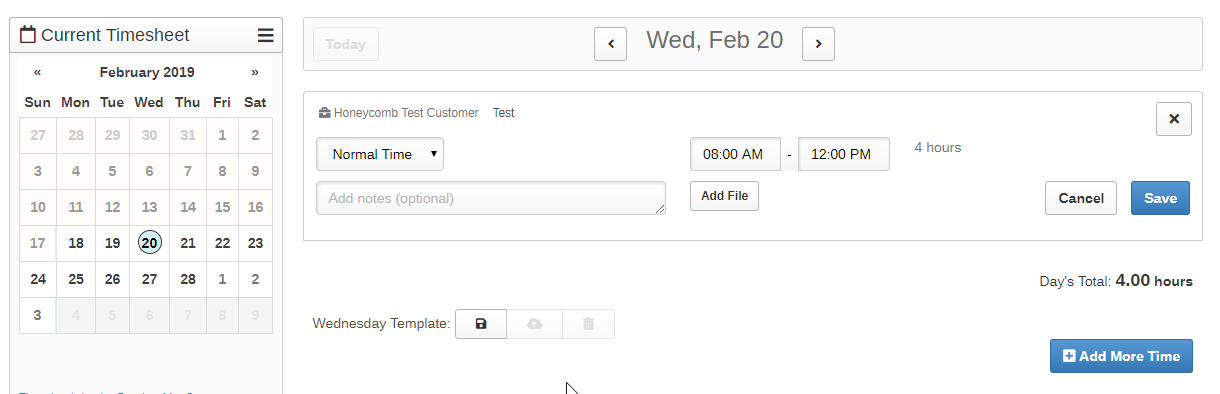
First, hit the  button and record the hours you worked prior to your meal break:
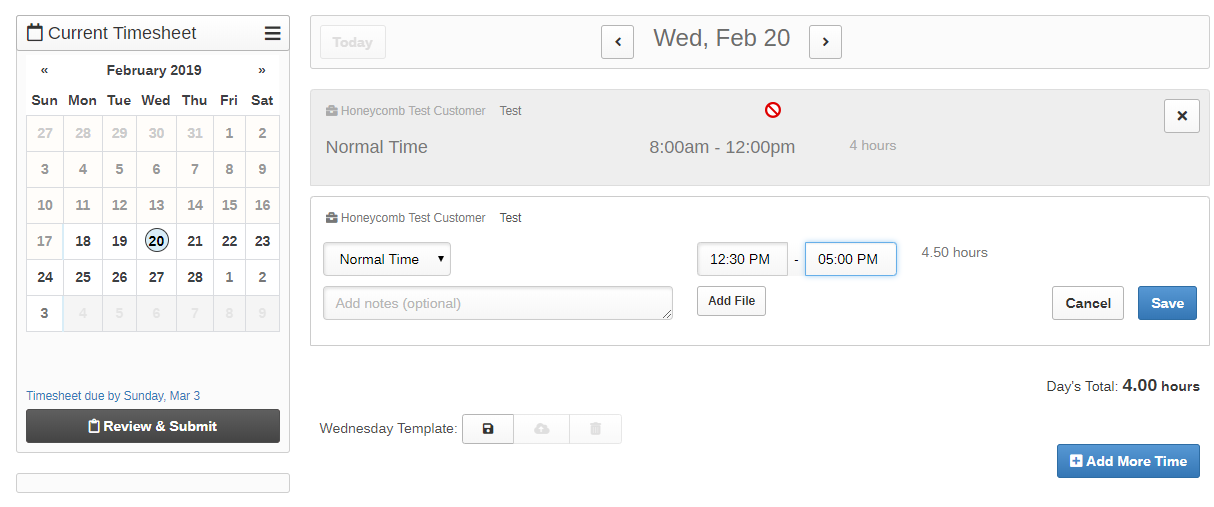
Then, hit the button again to enter the time after your break:
Once you have entered all of your time for that day, please remember to always hit the  button!
0 Comments