
Overtime in Honeycomb Explained
Overtime is the calculation of one and one half times an employee’s regular pay rate. In Honeycomb HR, Overtime is simply the addition of ‘premium pay’, which is the “half” (.5) portion of the “time and one half” calculation. For example, if an employee's hourly pay rate is $10.00 per hour and the employee works 8 Regular and 2 Overtime hours, their Overtime Premium Pay is $5.00 per hour (half time). The employee will earn $100.00 for working 10 hours at $10.00, adding $10.00 for the Overtime Premium Pay: 2 hours * $5.00 (half time).
How is the Calculation Different?
First, note that Honeycomb HR does not differentiate between Regular and Overtime hours on your timesheet. It simply calculates all hours worked. In the case below, the employee (in California) worked 10 hours, which translates to 8 Regular and 2 Overtime hours:
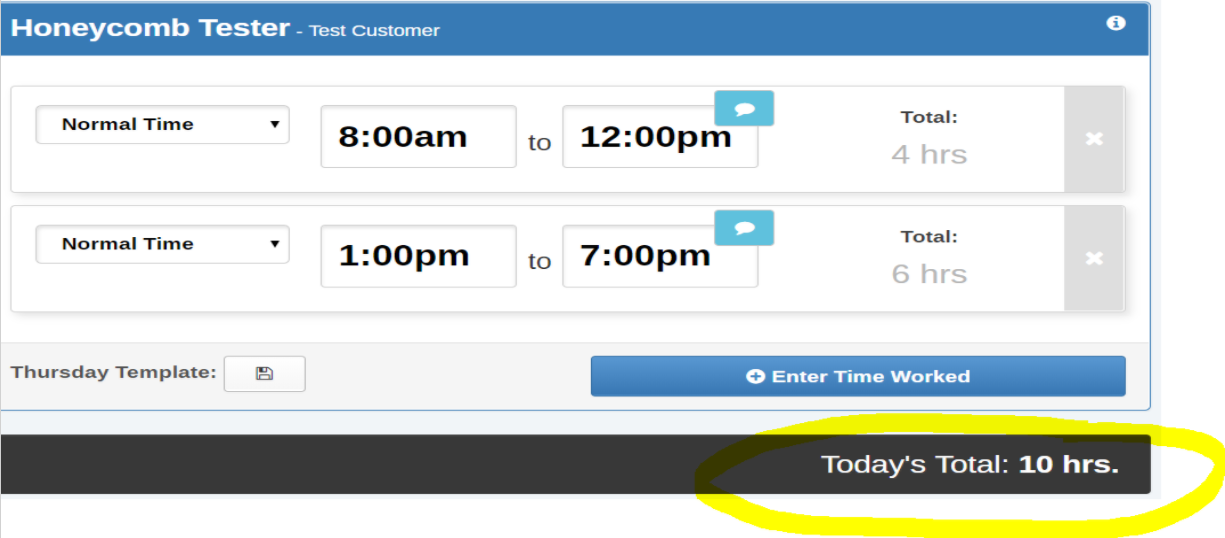
When you review your timesheet to submit it for approval, you’ll see total hours worked (10), for a total pay of $100:

And, of that, the total overtime hours (2), paid at $5.00 per overtime hour, bringing the total pay to $110.00:
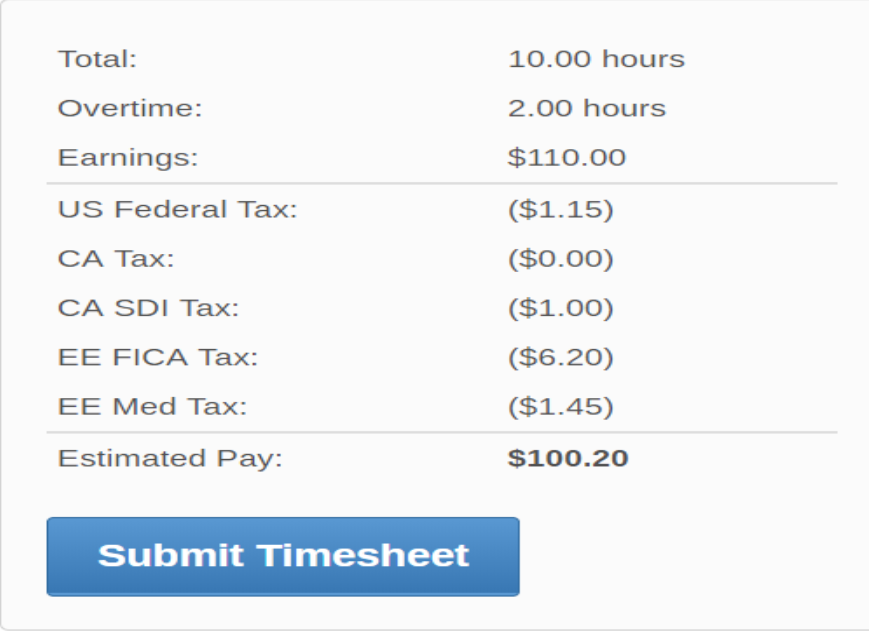
This comes to the same pay total as the more standard overtime calculation:
8 regular hours at $10.00 per hour = $80.00
2 overtime hours at $15.00 = $30.00
Total Pay ($80.00 + $30.00): $110.00
0 Comments