
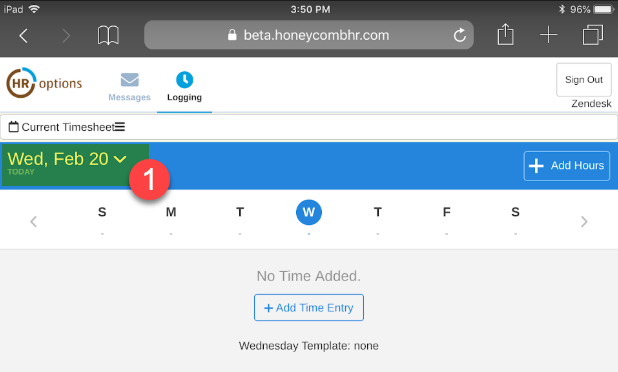
1. From your home screen, click on the Date on the top left
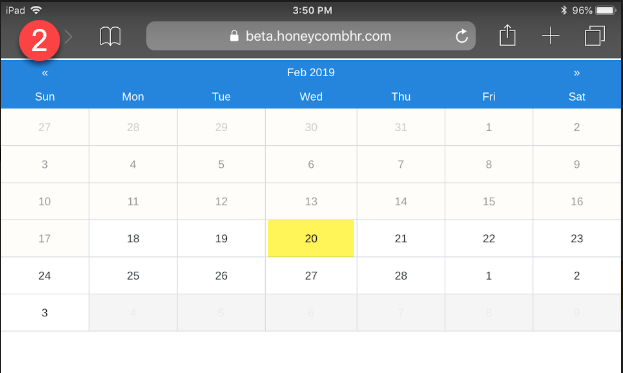
2. Using the calendar feature, select the date you will be entering time for
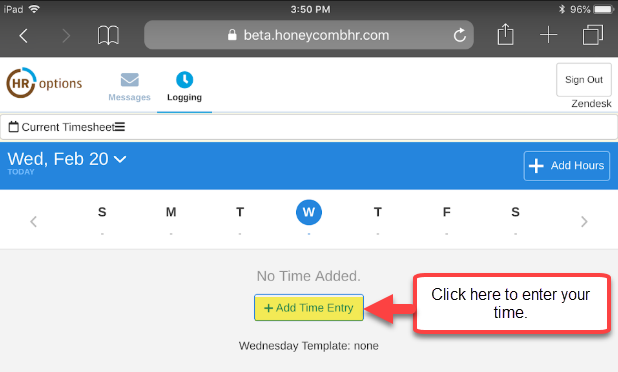
3. Click on the "Add Time Entry" button to enter your time
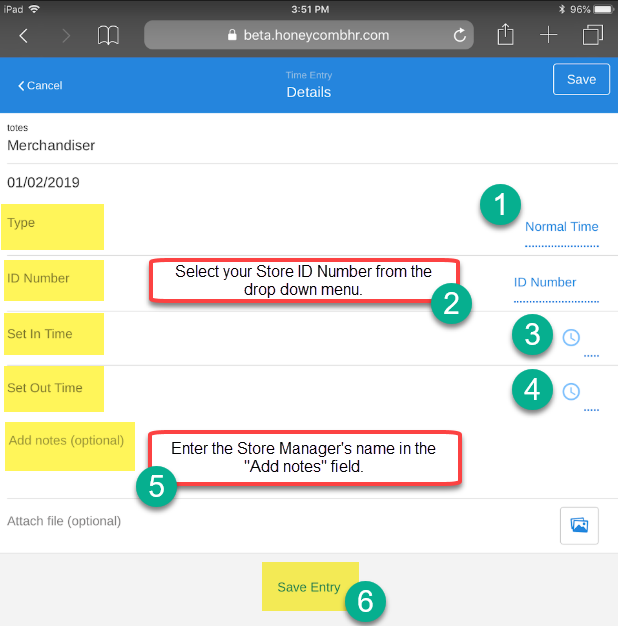
Completing your Timesheet -
Enter your time, ID Number, Start and End time, and the Store Manager's name.
Save your time entry once complete.
Repeat the above steps to enter additional time.
In order to submit your saved hours for approval, please click on the  tab on the bottom of your screen. This will direct you to the Timesheet Review page where you may review your hours. If everything is correct, you may click on "Submit Timesheet." This will send the timesheet to your regional manager for approval.
Please note that hours and expenses must be submitted separately for approval.
0 Comments