
How To Clear Your Browser Data on Laptop or Computer:
- Go to your "Settings" using the menu option for your browser (screenshot of Chrome below)
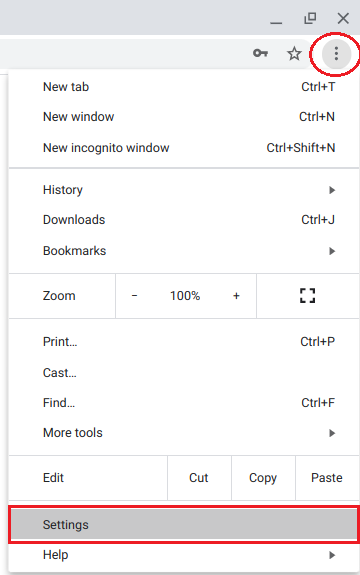
Click on images for a larger view
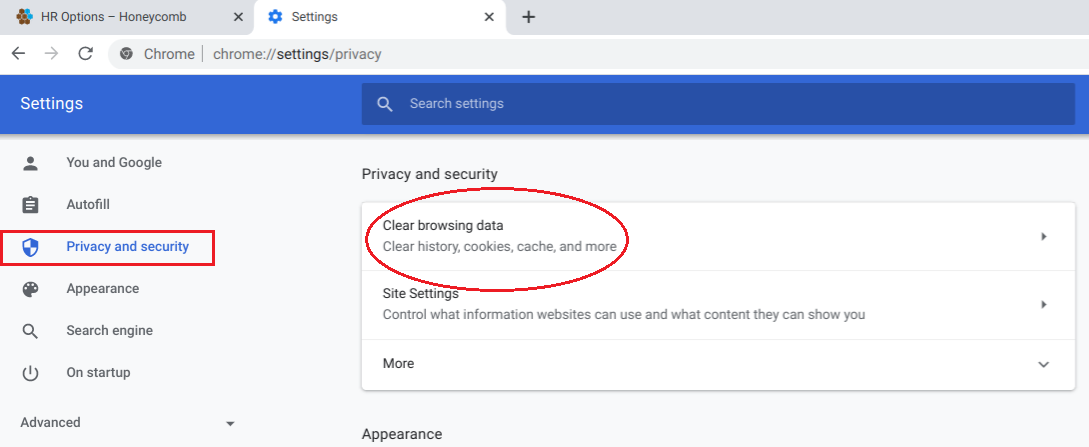
- Find the option to "Clear Browsing Data" (screenshot of Chrome below)
- On Chrome/Chrome App, this will be in a section titled "Clear Browsing Data"
- On Edge, this will be under a section titled "Privacy & Security"
- On IE11, this will be under "Delete Browsing History" (Ctrl+Shift+Del)
- For other browsers, we can look up the path here
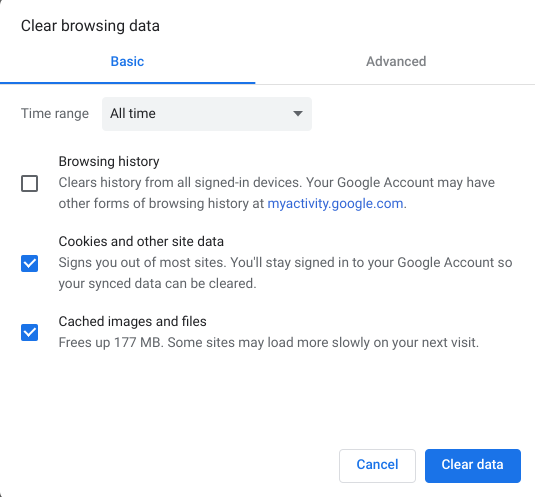
- Make sure at least the "cache" and "cookies" options are checked and clear the data (screenshot of Chrome below)
- Note: these options WILL NOT affect your saved passwords
- Go back to your hroptions.HoneycombHR.com login page and proceed
How to clear browsing data on iPhone:
Delete history, cache, and cookies
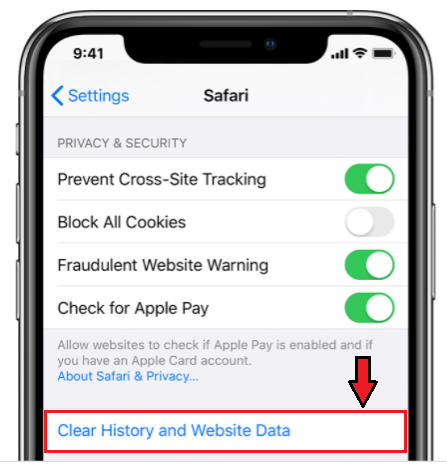
- To clear your history and cookies, go to Settings > Safari, and tap Clear History and Website Data. Clearing your history, cookies, and browsing data from Safari won't change your AutoFill information.
- To clear your cookies and keep your history, go to Settings > Safari > Advanced > Website Data, then tap Remove All Website Data.
- To visit sites without leaving a history, turn private browsing on or off.
How to clear App cache on android:
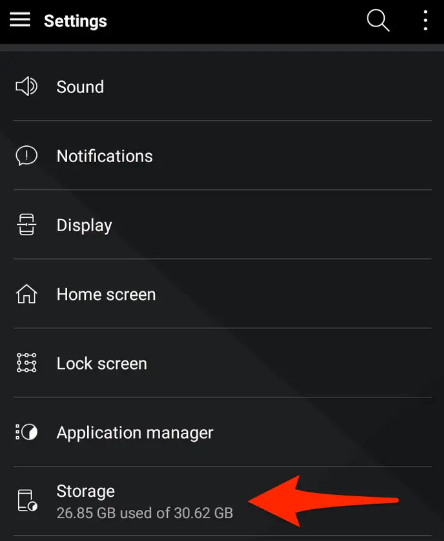
- Go to the Settings menu on your device.
- Tap Storage
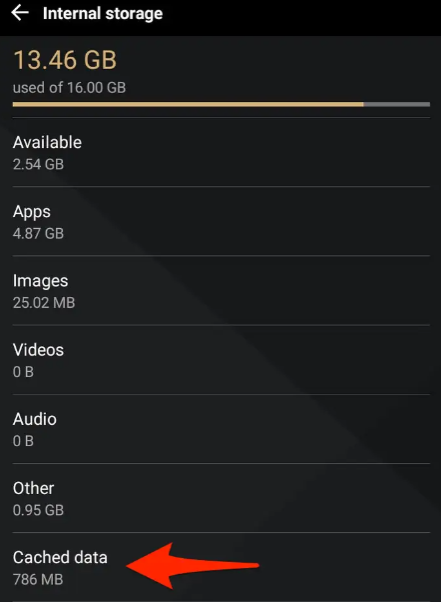
- Tap internal storage under device storage
- Tap Cached Data
- Tap OK when a dialog box appears asking if you would like the cache to be cleared.
How to reset the Site's Settings:
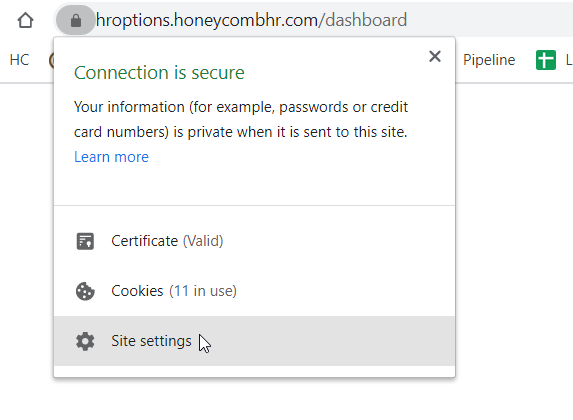
- To clear the settings for only the hroptions.HoneycombHR.com website rather than the browser as a whole click on the lock in the upper left corner by the URL
- Select "Site Settings" > Clear Data (verbiage could slightly vary depending on the browser)
0 Comments